
Console Tour
What the Console is
The Aimable Console is the admin surface of your tenant. Where the Workbench is where people use AI, the Console is where you decide what they can use and under which rules: spaces and their governance, knowledge collections, skills, tools, models, users and keys — plus the dashboards and audit trails to see what actually happens.
Everything in Aimable is scoped twice: to your tenant (your organisation's isolated environment) and within it to spaces (workspaces with their own members, knowledge, skills and policies). Most admin work is per space; a few things — users, models, integrations, skills catalog — are tenant-wide.
The admin areas
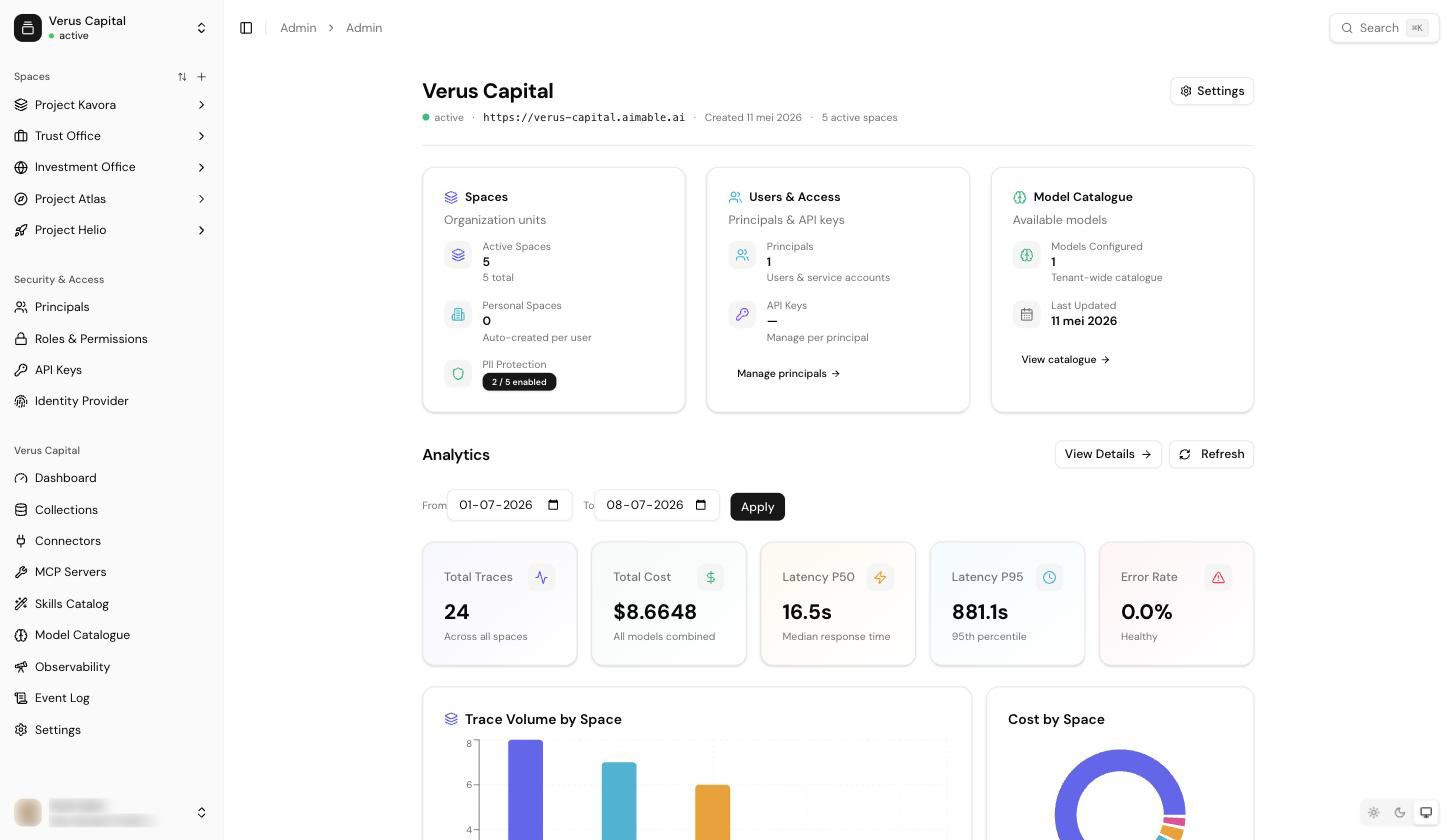
- Spaces, governance & system prompts — create spaces, set the model policy, write space instructions, and control which tools the assistant may use.
- Collections & knowledge — create document collections, upload or connect content, and attach collections to spaces so chat can search them.
- Skills — import skill bundles, manage versions, and enable them per space via the Skills Catalog.
- Tools via MCP servers — register Model Context Protocol servers to give spaces extra tools (internal APIs, SaaS integrations), scoped and authenticated per space.
- Observability & audit — usage dashboards, traces, costs, the event log, and skill-execution audit.
- Users, roles & keys — invite people, assign roles, and mint API keys for service integrations (see Provisioning for the API-first flow).
Admin vs space admin
Two levels of administration exist. A tenant admin manages the tenant: users, models, integrations, the skills catalog, tenant settings. A space admin manages one space: its members, collections, skills, governance and prompts. Most pages in these guides note which of the two you need.
Tip: everything the Console does is also available through the Admin API — every guide links the relevant API Reference sections, and Provisioning shows the scripted path end to end.