
Tools via MCP Servers
Overview
Beyond the built-in tools (web search, knowledge search, document generation), spaces can get custom tools through the Model Context Protocol — an open standard for exposing tools to AI models. Anything that speaks MCP can become a tool in chat: an internal API, a SaaS product, a database gateway.
Rollout is two-step, mirroring how skills work: register a server in the tenant catalog, then enable it per space.
Register a server (tenant level)
Open MCP Servers in the Console sidebar. The catalog lists each server with its name, slug, transport, status, tool count and auth type. Click Add MCP Server and fill in:
| Field | Meaning |
|---|---|
| Display Name | How the server appears to admins and in chat. |
| Slug | Stable identifier (lowercase letters, digits, hyphens). |
| URL | The server's endpoint. |
| Transport | SSE, HTTP or stdio. |
| Auth Type | none, oauth or api_key — extra credential fields appear for the last two. |
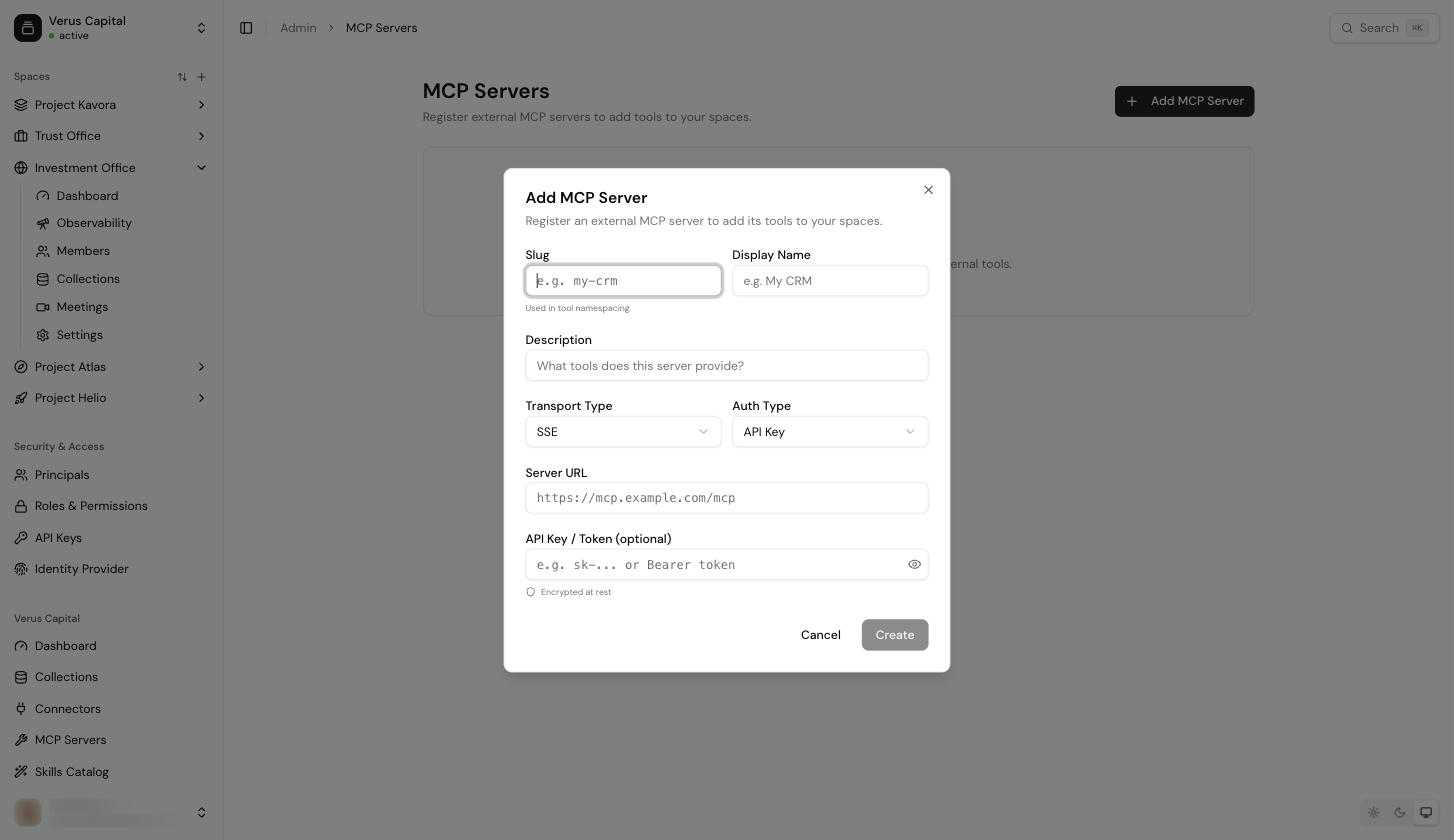
After creating, use the row menu:
- Discover Tools — connects to the server and imports its tool list (names, descriptions, input schemas). You'll see "Discovered N tools from [server]" on success. Servers with OAuth or API-key auth prompt for credentials first.
- Test Connection — verifies reachability without changing anything.
- View Tools — inspect the discovered tools and their schemas.
A server's status dot shows green (active), gray (disabled) or red (error).
Enable per space
Open the space's settings → MCP Servers tab and click Add — you pick from the tenant catalog ("Select a server from the catalog to enable for this space"). Once enabled, expand the server card to choose which of its tools are available in this space: each tool has its own checkbox.
Two practical notes:
- If a server card says "No tools discovered yet", run Discover Tools from the tenant catalog first — spaces can only enable tools that have been discovered.
- Users don't see MCP servers as such; the tools simply become available to the assistant in chat, which invokes them when relevant.
Treat MCP servers as part of your security surface. A tool runs with the credentials you configured for it and its output goes into the conversation. Register servers you control or trust, scope them to the spaces that need them, and prefer per-server credentials with minimal permissions.
Via the API
The MCPs API domain covers the same lifecycle over HTTP — catalog CRUD, tool discovery, per-space enablement and the OAuth connection flow for servers that authenticate individual users.