
Governance & System Prompts
Overview
Every space carries its own policy: which tools the assistant may use, how personal data is handled, how files are processed, and the instructions the model receives on every conversation. All of it lives in the space's configuration in the Console — open the space and go to its settings; the tab bar reads General · Model Policy · Governance · Collections · Meetings · MCP Servers · System Prompts · Skills · Danger Zone.
This page covers the Governance and System Prompts tabs. Model choice lives under Model Policy (see Integration Patterns for the routing modes); skills and MCP servers have their own guides.
The Governance tab
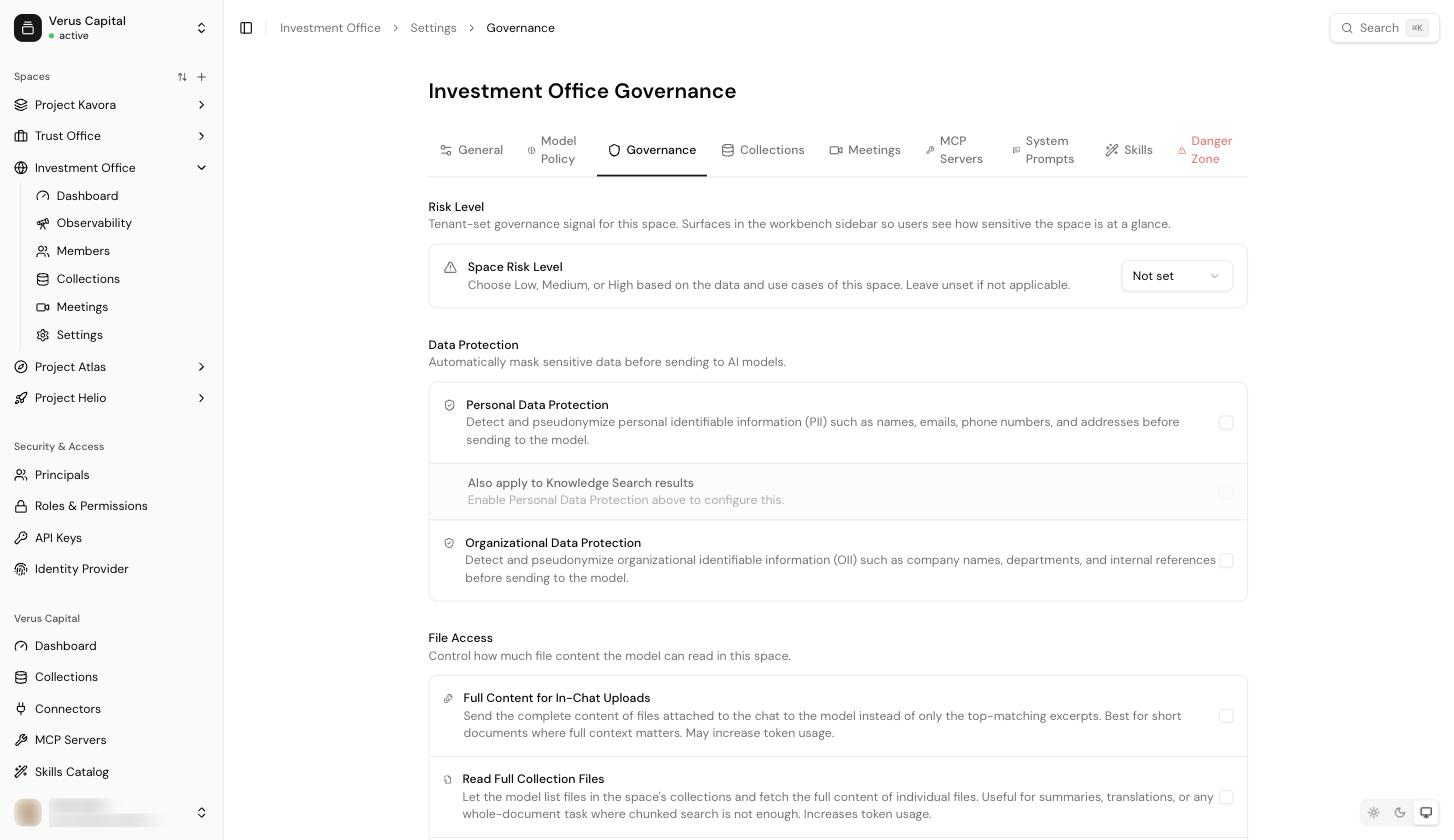
Risk level
Space Risk Level (Not set / Low / Medium / High) labels the space by the sensitivity of its data and use cases. Use it as an organisational marker in dashboards and reviews — pick based on what the space processes.
Data protection
Two toggles control pseudonymisation before anything reaches a model:
- Personal Data Protection — detect and pseudonymise personal
identifiable information (names, emails, phone numbers, addresses). Turning
this on makes the privacy check mandatory for every
user in the space; with it off, users can still enable the check manually
per conversation.
- Also apply to Knowledge Search results — extends pseudonymisation to
what the
knowledge_searchtool returns, not just the user's own text.
- Also apply to Knowledge Search results — extends pseudonymisation to
what the
- Organizational Data Protection — the same for organisational identifiers (company names, departments, internal references), known as OII. Skills follow this space setting too, with a per-skill manifest override.
File access
Three toggles trade completeness against token cost and speed:
- Full Content for In-Chat Uploads — send attached files in full instead of only the top-matching excerpts. Best for short documents where the whole context matters; increases token usage.
- Read Full Collection Files — let the model list a collection's files and fetch complete documents, for summaries or translations where chunked search is not enough. Increases token usage.
- Fast PDF processing — text-only extraction for large PDFs: ready in seconds instead of minutes, but tables and layout are not preserved. Leave off where document structure matters.
Tools
Per-space switches for what the assistant may do: Web Search, Knowledge Search, Generate Excel and Generate Word.
Web Search needs a tenant key. Web search runs on your tenant's own Exa key, configured under Settings → Integrations. A tenant without a key has web search disabled regardless of this toggle.
The System Prompts tab
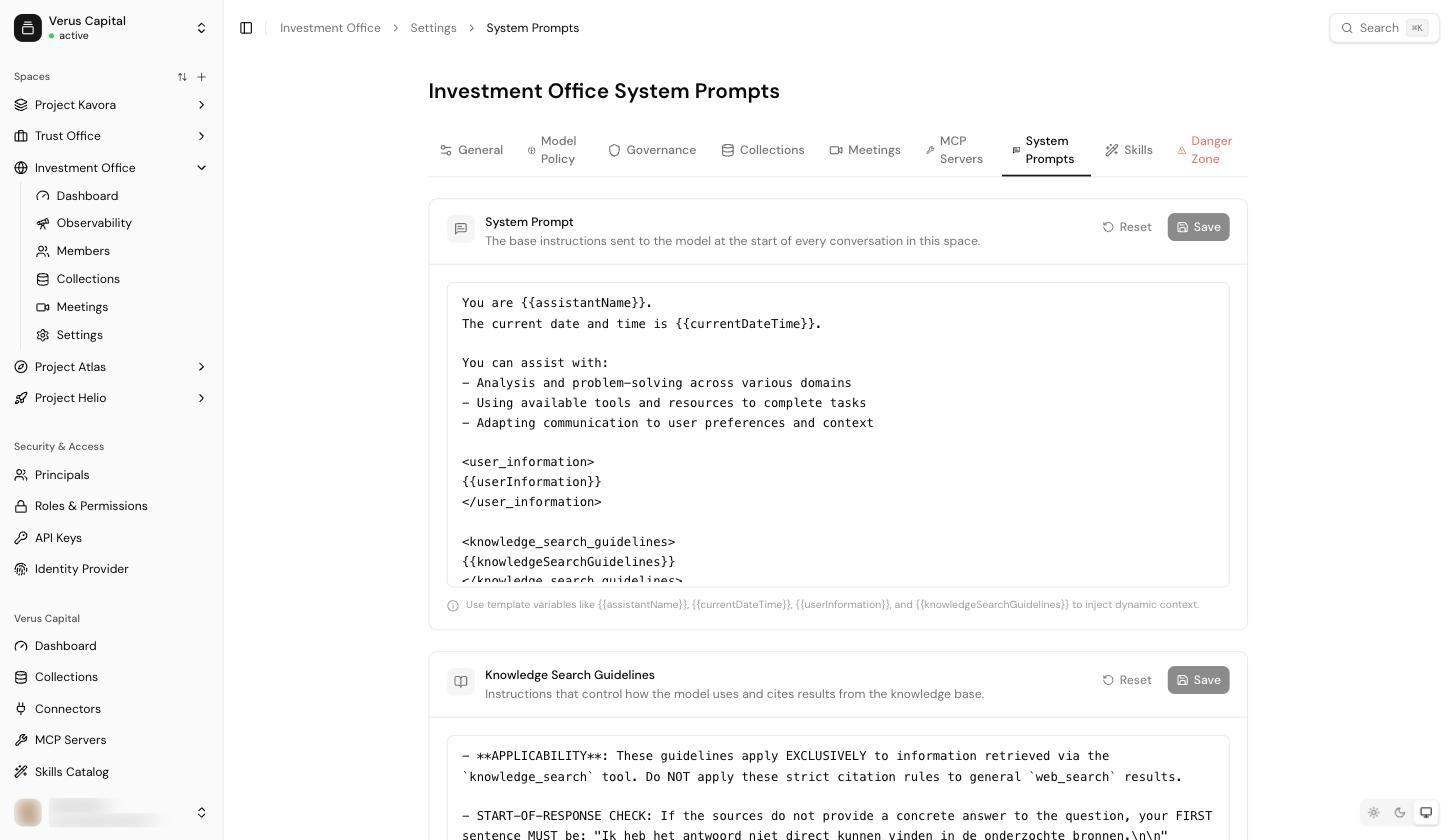
Two editable texts shape every conversation in the space:
- System Prompt — the base instructions sent to the model at the start
of every conversation. Template variables inject dynamic context:
{{assistantName}},{{currentDateTime}},{{userInformation}}and{{knowledgeSearchGuidelines}}. - Knowledge Search Guidelines — instructions that control how the model
uses and cites knowledge-base results. Injected via the
{{knowledgeSearchGuidelines}}variable; they only apply while the Knowledge Search tool is enabled.
Both cards have Reset and Save; changes apply to new conversations immediately.
Tip: keep the system prompt about behaviour (tone, role, house rules) and the guidelines about sourcing (when to search, how to cite). Space-specific knowledge belongs in collections, not in the prompt.
Via the API
Space settings are also writable over the Admin API — see the spaces and space model policy domains, and Provisioning for the scripted end-to-end flow.