
Privacy & PII Redaction
Overview
Aimable can detect personal identifiable information — names, email addresses, phone numbers, addresses — in what you type and upload, and replace it with placeholders before anything is sent to a model. You review what was found, correct it where needed, and send the pseudonymised version. The model answers using the placeholders; Aimable restores the real values in the reply you see.
The key promise: your original text never reaches the model — only the redacted version does.
When the check runs
- Required by the space — if your admin enabled Personal Data Protection, every message is reviewed. The eraser icon in the composer is locked on, with the note "In this space, PII redaction is required."
- Your own choice — otherwise, click the eraser icon (Enable Review Before Sending) to turn the check on for your conversation.
With the check active, pressing Enter first runs detection — you'll see "Checking for PII…" (or "Running a thorough PII check…" if your space uses the extra-thorough mode) — and then shows the preview.
Reviewing the preview
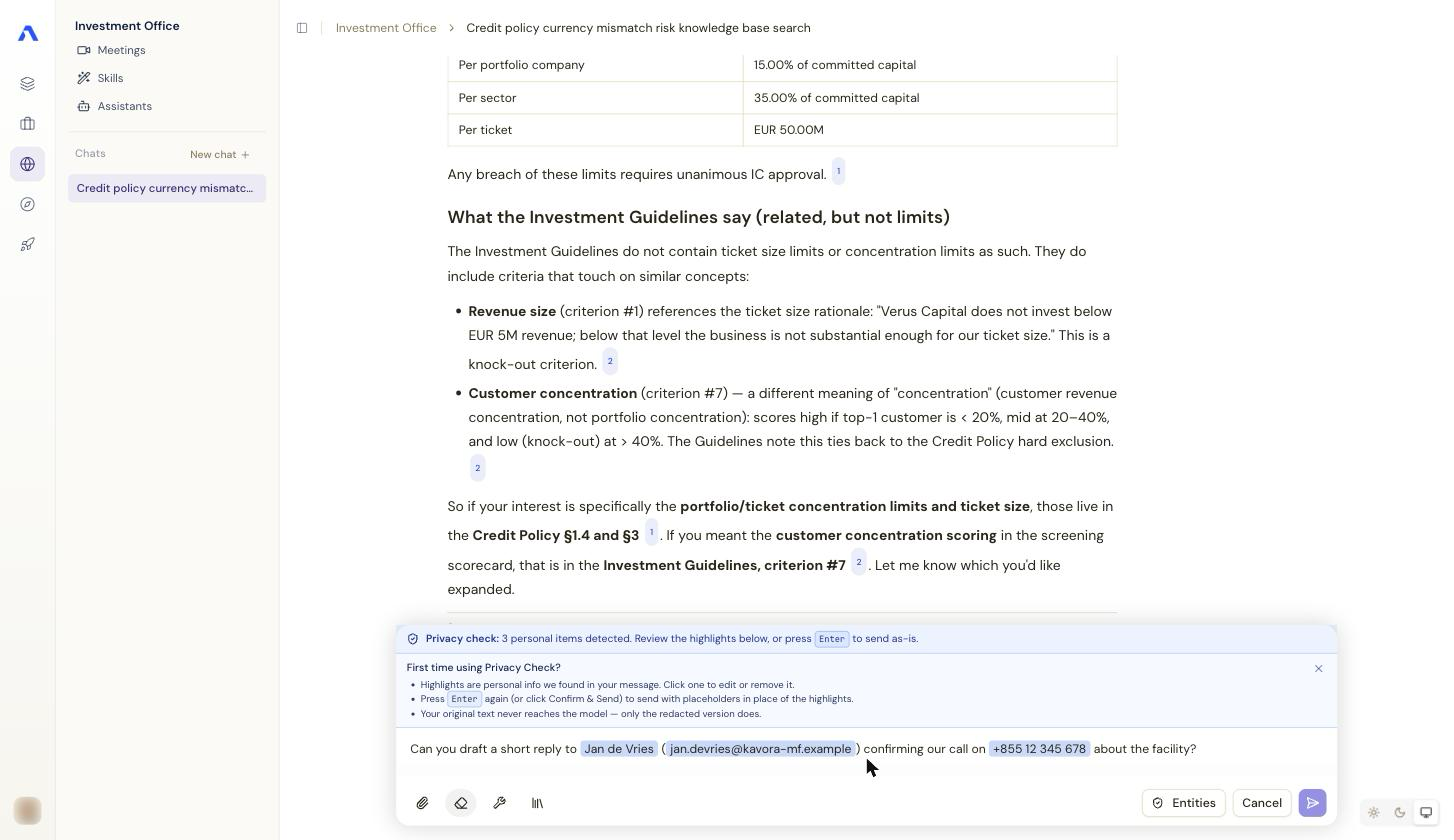
The composer shows your message with every detected item highlighted, under a banner: "Privacy check: N personal item(s) detected. Review the highlights below, or press Enter to send as-is."
-
Hover a highlight to see its placeholder (e.g.
<EMAIL_1>) and a delete button to remove the detection (the original text is sent for that item). -
Click a highlight to change its type (search "Search PII types…" — name, email, phone, address, …), or select missed text to mark it as personal data yourself. Your corrections are applied exactly as you make them.
-
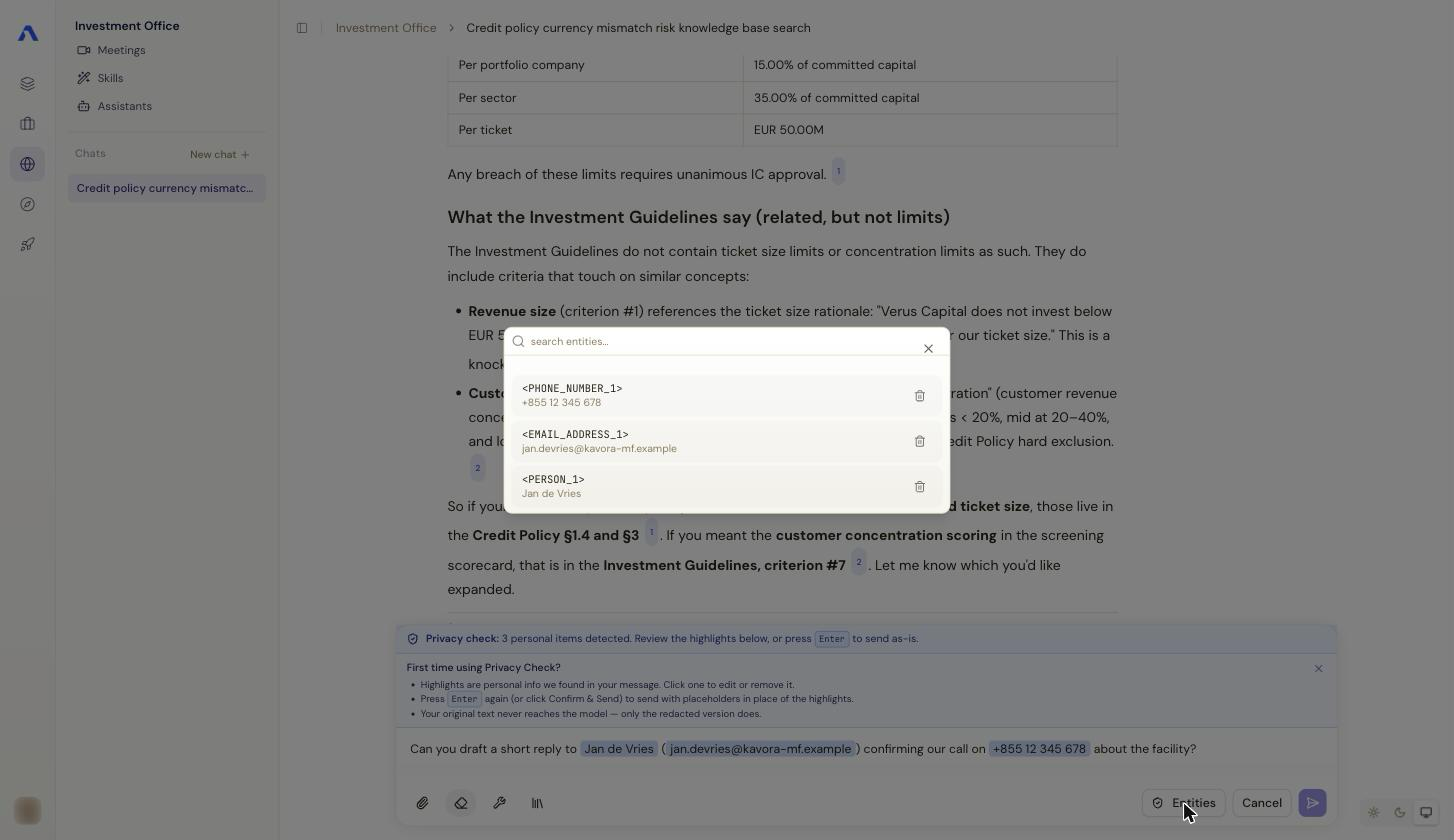
The Entities panel (shield icon) lists every placeholder with its original value — the mapping that stays on the platform and never goes to the model.
-
Press Enter again (or Confirm & Send) to send with the placeholders in place.
The same review appears for file attachments: PDFs open with the detected items highlighted so you can check page by page, and you confirm per file (Confirm & Next / Confirm & Send). Images are scanned and redacted too.
Two special cases: spreadsheets are deliberately excluded — Excel/CSV cell data is not sent to the PII detection service — and organisation names (companies, departments) are pseudonymised as well when your space has Organizational Data Protection enabled.
What the model sees
Your message arrives at the model as, say,
"Can you draft a reply to <NAME_1> at <EMAIL_1>?" The reply comes back
with the real values restored, and placeholders stay consistent within the
conversation — <NAME_1> keeps meaning the same person, so follow-up
questions work naturally.
If detection fails
Detection is a live service; if it times out or is unavailable you'll see an inline message with the choice to retry or — where the space allows it — disable the manual check and send without detection. Very large messages/attachments may need splitting ("too large to process in one request").
Note: whether the check is optional, which protections are on, and whether the thorough mode runs are all space settings — see Governance & System Prompts for the admin side.